Reach: your agent, from anywhere#
An agent that only exists while you are sitting in front of it is a tool. An agent you can reach from a phone at 6am is a colleague. Reach is the set of ways in.
The web app, from anywhere#
A team server is a web app. Sign in from any browser and you have your channels, your agents, the record and the policy that governs it. The phone version is the same app, with voice as the primary input. Nothing to install.
This is where the always-on agents live: heartbeats, scheduled runs, the overnight work you check on in the morning. See Heartbeat.
lit-bridge: a real Claude Code session, reachable#
The limitation this removes: Claude Code in interactive mode is a terminal, and a terminal is tied to the chair in front of it. Pipe mode would make it scriptable, but it strips the interactive capabilities and reclassifies your usage.
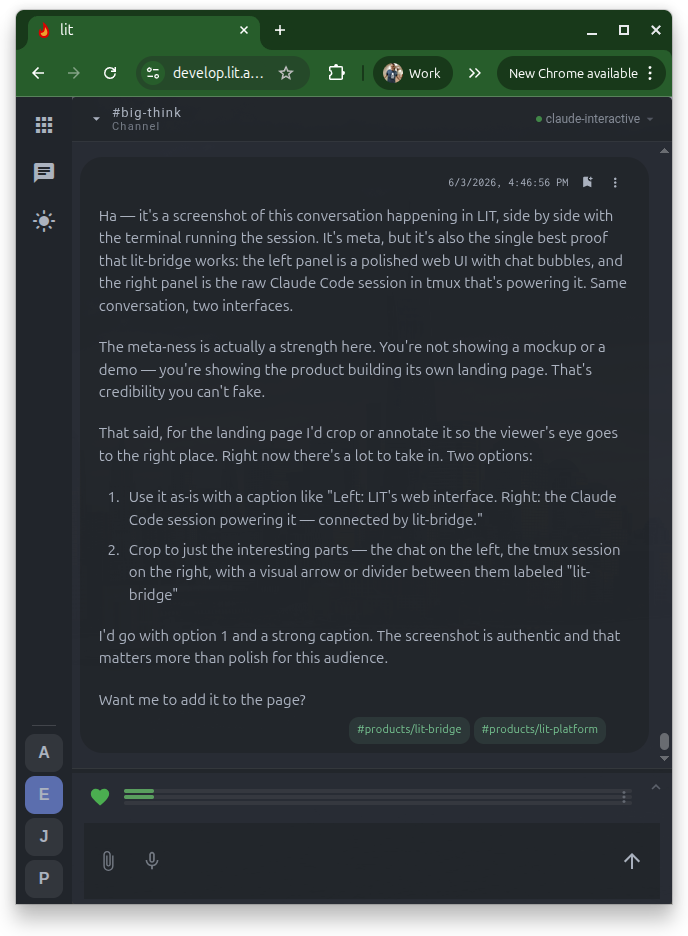
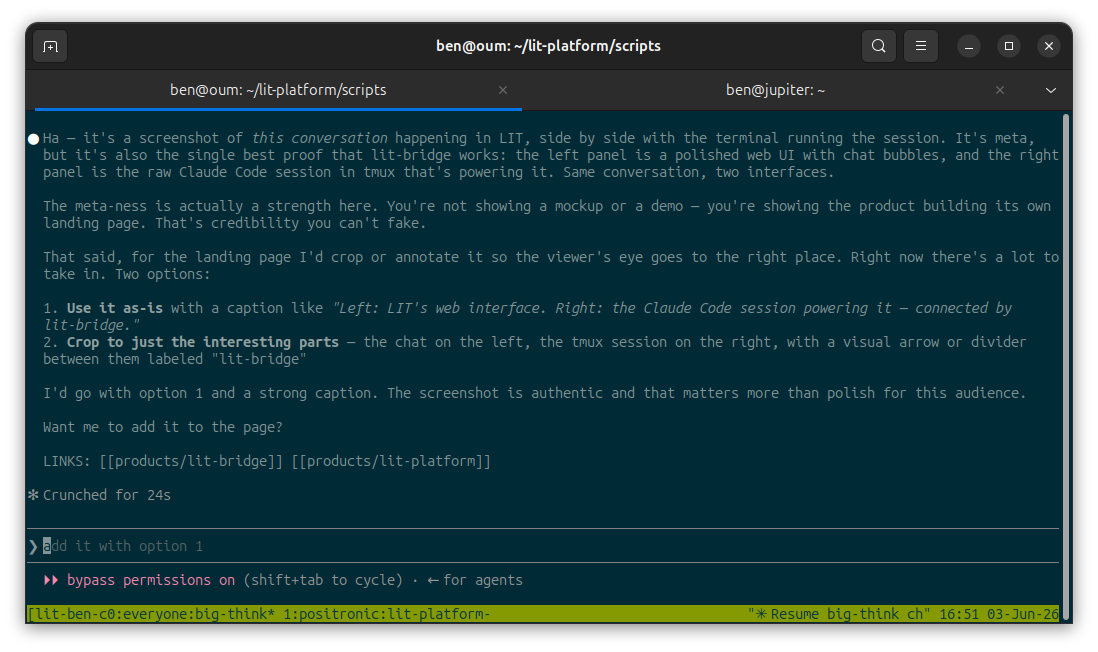
lit-bridge keeps the session interactive and gives it a front door. The harness runs in a real terminal on your machine; lit-bridge types into it, reads the screen, and turns what it sees into structured events. The web app renders those events as chat. The session on your dev box never knows the difference.
What you see#
A chat with markdown, persistent channels, mobile access. No terminal in sight.
What is running#
A real Claude Code session in tmux, with its context management, tool permissions and MCP servers intact. Your seat, billed as a seat.
This is also why LIT can run any harness on subscription seats and API keys side by side: it spawns the vendor's own harness rather than reimplementing it. lit-bridge is the mechanism.
Where this is going: presence#
The desktop is the machine with the power, the files and the local models. Today it reaches the outside world by connecting out to a team server. The direction we are building toward is the reverse view: a server's web app that shows your paired desktop beside the server's own teams, so you can open a laptop channel from your phone and talk to the agent that lives on the laptop, while the laptop stays sovereign.
The design commitments, stated now so they hold later:
- The desktop dials out. The server never connects in, never holds a credential into a desktop, and does not know one exists until it phones in.
- Opt-in, off by default. A toggle on the desktop, per server connection. Off closes the pipe instantly.
- You, only. A request crosses the pipe only when the person signed into the server is the person who paired the desktop. Team-mate visibility would be a separate, explicit grant.
- Live only. Nothing from the desktop is stored on the server. Laptop asleep, channel asleep.
- A narrow surface. List channels, read history, send, stream the reply. Not a tunnel, not SSH, not a proxy.
The same shape extends to a fleet: several computers, one phone, every channel with exactly one home. On your own network the phone talks to the desktop directly; away from it, a relay carries the same narrow pipe.
Read this as direction. Pieces are in the codebase; treat it as shipped only when your partner says so.